The Best One-Time Secret Sharing Tools in 2026
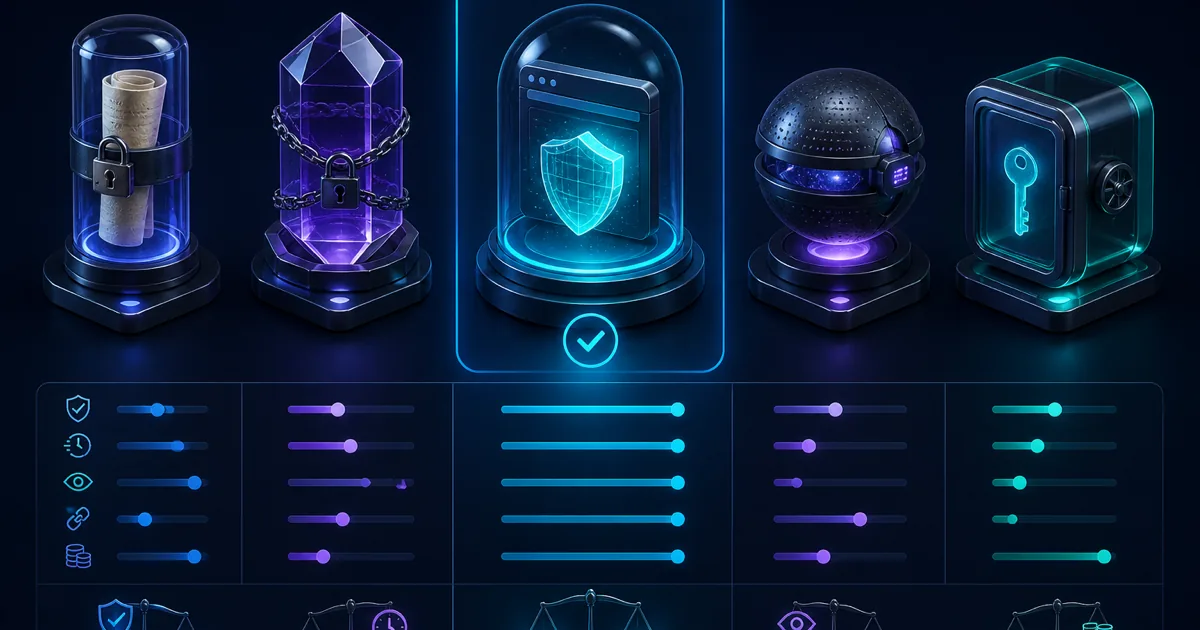
Best one-time secret sharing tools in 2026: prefer client-side AES-256-GCM with the key in the URL fragment (VanishingVault, Bitwarden Send, scrt.link). Skip server-side-only tools (OneTimeSecret, Privnote) when credentials matter.
You need to send a password, API key, or database credential once. Pasting it into Slack or email leaves a permanent, searchable copy. In 2026 the tools that matter share one property: client-side encryption so the host never sees plaintext.
We compared the leading one-time secret sharing platforms on encryption model (client-side vs server-side), burn-after-read, account friction, expiry controls, and whether the product is actually built for disposable secrets — not chat with a timer.
The short version: prefer AES-256-GCM in the browser with the key in the URL fragment. Avoid anything that encrypts only after the server has already seen your secret. This page replaces our former one-time-secrets-vs-alternatives guide with a current encryption-model-first comparison.
Related: how to share passwords securely · send a password as a one-time link · is Slack encrypted? · what is zero-knowledge encryption?.
What Should You Look for in a One-Time Secret Tool?
Zero-Knowledge Design
The service provider should never be able to access your unencrypted data — key stays in the URL fragment.
No Account Required
Every signup step reduces the chance a recipient will use the tool. Prefer no-login handoffs.
Auto-Destruction
Secrets should self-destruct after one view and expire on a TTL even if never opened.
Which One-Time Secret Sharing Tools Are Best in 2026?
We scored tools on zero-knowledge design, one-time access, expiry, account requirements, and honesty about whether encryption is client-side or server-side. The encryption model column is the primary sort key — client-side zero-knowledge beats server-side for credential handoffs.
| Tool | Encryption model | Zero-Knowledge | One-Time Access | Auto-Expiry | Best for |
|---|---|---|---|---|---|
| VanishingVault | Client-side AES-256-GCM | Privacy-first one-off handoffs to guests, contractors, or family — no signup friction. | |||
| Bitwarden Send | Client-side AES-256-GCM | Teams already standardized on Bitwarden who want Send with optional access passwords and file support. | |||
| scrt.link | Client-side AES-256-GCM | Quick web handoffs when you want documented client-side crypto without a password-manager account. | |||
| OneTimeSecret | Server-side | ✕ | Low-sensitivity notes where you self-host and accept server-side trust, or legacy familiarity. | ||
| PrivateBin | Client-side (browser) | Teams that can self-host and want auditable open-source browser-side crypto. | |||
| Password Pusher | Server-side AES-256-GCM | ✕ | Ops teams wanting view limits, API automation, or self-hosted password push with audit trails. | ||
| Privnote | Opaque / server-involved | ✕ | ✕ | Casual personal notes where you accept opaque crypto and ad-supported hosting. |
What Are the Best OneTimeSecret and Privnote Alternatives?
OneTimeSecret and Privnote are the names most people search when they need a disposable note — but both leave the provider in the trust path (server-side or opaque crypto). If you are migrating off them, shortlist by encryption model first:
- OneTimeSecret alternative: VanishingVault or scrt.link for client-side AES-256-GCM; Bitwarden Send if your org already has vault seats.
- Privnote alternative:any documented ZK tool above — Privnote's crypto is opaque and phishing clones are common.
- Self-host path: PrivateBin or Password Pusher when you control infra and accept ops overhead.
For password-specific handoffs, read send a password as a one-time link and how to share passwords securely. Pasting links into Slack? Check is Slack encrypted? for unfurl burn risk.
How Do the Top Tools Compare in Detail?
VanishingVault
Rating: 5/5
Domain: vanishingvault.com
VanishingVault encrypts secrets in the browser with AES-256-GCM, keeps the key in the URL fragment, and permanently deletes ciphertext after one view (or after the TTL). No accounts, no plaintext on the server.
Features
- Zero-Knowledge Encryption
- One-Time Access
- Auto-Expiry
- Password Protection
- No Account Required
- Open Source
Pros
- True zero-knowledge architecture
- No recipient account
- Burn after read
- Simple, fast UX
Cons
- Newer to the market
- Text secrets focused
Best for: Privacy-first one-off handoffs to guests, contractors, or family — no signup friction.
Honest limit: Text secrets only; bearer-URL semantics (whoever opens first wins); no org-wide audit trail.
Bitwarden Send
Rating: 4.5/5
Product: Bitwarden Send (bitwarden.com/products/send)
Bitwarden Send uses the same client-side zero-knowledge model as the Bitwarden vault. Senders need an account; recipients typically do not. Strong choice for teams already standardized on Bitwarden, including optional file Sends on paid plans.
Features
- Zero-Knowledge Encryption
- One-Time Access
- Auto-Expiry
- Password Protection
- No Account Required
- Open Source
Pros
- Audited password-manager crypto
- Text + file Sends (files on paid)
- View limits and destruct-on-open
- Familiar to Bitwarden teams
Cons
- Sender needs a Bitwarden account
- Heavier if you only need a one-off link
Best for: Teams already standardized on Bitwarden who want Send with optional access passwords and file support.
Honest limit: Sender must have Bitwarden; overkill for a quick guest Wi‑Fi handoff with no vault seat.
scrt.link
Rating: 4/5
Domain: scrt.link
Lightweight client-side encrypted notes with burn-after-read. Good for quick web handoffs; paid tiers add API and Slack-oriented workflow features.
Features
- Zero-Knowledge Encryption
- One-Time Access
- Auto-Expiry
- Password Protection
- No Account Required
- Open Source
Pros
- Clean web UI
- No account for basic use
- API / Slack options on paid tiers
Cons
- Mostly single-view
- Paid features for integrations
Best for: Quick web handoffs when you want documented client-side crypto without a password-manager account.
Honest limit: Paid tiers gate API/Slack integrations; less brand recognition than Bitwarden Send.
OneTimeSecret
Rating: 3/5
Domain: onetimesecret.com
One of the original secret-sharing services (since 2012). Simple and familiar, but encryption is server-side — the provider processes plaintext. Fine for low-sensitivity notes; not a zero-knowledge choice.
Features
- Zero-Knowledge Encryption
- One-Time Access
- Auto-Expiry
- Password Protection
- No Account Required
- Open Source
Pros
- Name recognition since 2012
- Simple UX
- Self-hostable
Cons
- Server-side encryption — provider sees plaintext
- Steep free→paid jump
- Not zero-knowledge
Best for: Low-sensitivity notes where you self-host and accept server-side trust, or legacy familiarity.
Honest limit: Provider processes plaintext on create — not a zero-knowledge choice for credentials.
PrivateBin
Rating: 4/5
Domain: privatebin.info
Open-source zero-knowledge pastebin with browser-side crypto. Excellent if you can self-host; heavier than a dedicated one-time secret UX for non-technical recipients.
Features
- Zero-Knowledge Encryption
- One-Time Access
- Auto-Expiry
- Password Protection
- No Account Required
- Open Source
Pros
- Strong open-source ZK pastebin
- Self-hostable
- Burn-after-reading
Cons
- You operate the infra
- Pastebin UX, not secret-handoff UX
Best for: Teams that can self-host and want auditable open-source browser-side crypto.
Honest limit: You run the server; pastebin UX is heavier for non-technical recipients.
Password Pusher
Rating: 3.5/5
Domain: pwpush.com
Mature open-source password sharing with view/day limits, passphrases, and API options. Hosted paths typically use server-side encryption — useful operationally, but not zero-knowledge by default.
Features
- Zero-Knowledge Encryption
- One-Time Access
- Auto-Expiry
- Password Protection
- No Account Required
- Open Source
Pros
- Mature product
- Configurable views + days
- REST API / self-host
- Pro audit trail options
Cons
- Encryption is server-side on typical hosted paths
- Not zero-knowledge by default
Best for: Ops teams wanting view limits, API automation, or self-hosted password push with audit trails.
Honest limit: Hosted paths typically encrypt server-side — provider sees plaintext during create.
Privnote
Rating: 2.5/5
Domain: privnote.com
Widely known self-destructing notes. Encryption details are opaque, the site is ad-supported, and lookalike phishing domains are common. Prefer documented client-side AES-256-GCM tools instead.
Features
- Zero-Knowledge Encryption
- One-Time Access
- Auto-Expiry
- Password Protection
- No Account Required
- Open Source
Pros
- Very simple
- Widely known
Cons
- Opaque crypto story
- Ad-supported phishing-clone risk
- Weak controls vs modern ZK tools
Best for: Casual personal notes where you accept opaque crypto and ad-supported hosting.
Honest limit: No documented client-side AES-256-GCM; phishing clone domains are common; no passphrase or TTL controls.
What Security Factors Matter When Choosing a Tool?
When evaluating one-time secret sharing tools, consider these critical security factors:
1. Encryption model (client-side vs server-side)
The best tools implement client-side encryption using AES-256-GCM with the decryption key in the URL fragment. Server-side-only tools (OneTimeSecret, typical Password Pusher hosted paths, Privnote) process plaintext during create — weaker when provider access or compelled disclosure is in scope. Read what is zero-knowledge encryption?.
2. Data storage and burn-after-read
Look for services that minimize data storage and implement proper deletion practices. Secrets should be completely removed from storage after being viewed or after expiration.
3. Transport Security
All communications should be protected with TLS 1.3 to prevent interception during transit. Privacy-focused tools should implement additional protections against traffic analysis.
4. Privacy Protections
Privacy-focused tools should minimize data collection, avoid tracking, and provide transparency about their data handling practices.
Which Tool Should You Pick?
For privacy-first handoffs, VanishingVault keeps encryption in your browser, never logs plaintext, and destroys ciphertext after one view. Bitwarden Send and scrt.link are credible client-side alternatives; Privnote and classic OneTimeSecret still encrypt in ways that leave the server in the trust path.
Frequently Asked Questions
What is the best one-time secret sharing tool?
VanishingVault offers true zero-knowledge encryption with client-side AES-256-GCM, one-time access links, and automatic expiry — making it the most secure option for sharing passwords, API keys, and credentials.
Are one-time secret links safe?
Yes, when implemented with zero-knowledge encryption. The secret is encrypted in your browser before transmission, and the decryption key is part of the URL fragment which is never sent to the server. After one view, the ciphertext is permanently deleted.
What is zero-knowledge secret sharing?
Zero-knowledge secret sharing means the service provider cannot access your data. All encryption happens client-side, the server only stores ciphertext it cannot decrypt, and the decryption key exists only in the shared link.
Is OneTimeSecret zero-knowledge?
No. Classic OneTimeSecret encrypts on the server, so the provider processes plaintext when you create a secret. Prefer client-side AES-256-GCM tools if your threat model includes provider access or legal compulsion of the host.
How long do one-time secret links last?
With most tools, links expire after being viewed once or after a maximum time period (typically 7 days). This ensures secrets do not persist indefinitely even if the link is never opened.
Can I share passwords securely without a password manager?
Yes. One-time secret sharing tools let you create a self-destructing link for any password or credential. The recipient opens the link once, sees the secret, and the link is permanently destroyed — no account or password manager required.